



AtomEmailPro Web Sending FAQ: Understanding Browser Windows, Threads, Send Way, and Daily Sending Limits
Many users configure AtomEmailPro Web Sending based on intuition. As a result, they often ask questions like:
- Why are only a few browser windows running?
- Why aren't all my accounts sending emails at the same time?
- What does "Send X emails in one browser session" actually do?
- How many emails should one Gmail or Outlook account send per day?
This guide explains the most commonly misunderstood settings.
1. Browser Window Matrix
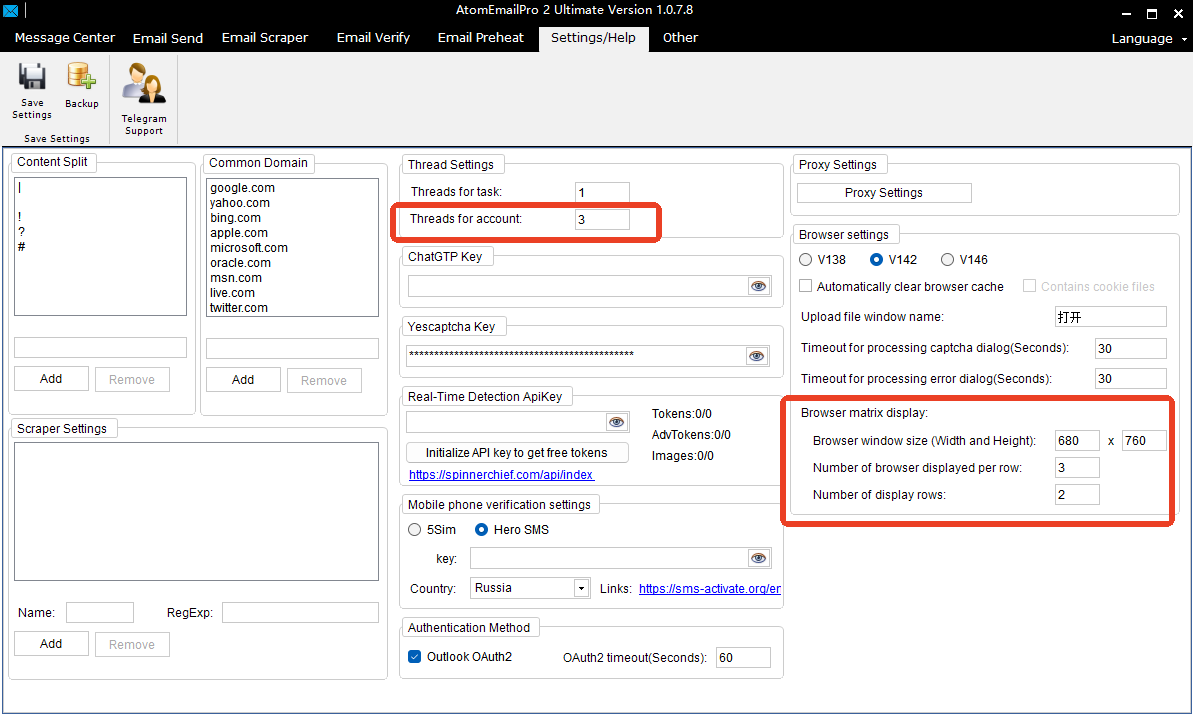
The Browser Window Matrix only controls how browser windows are arranged on your screen.
For example:
- 12 columns × 7 rows = 84 browser windows
This means AtomEmailPro can display up to 84 browser windows on your desktop.
However, this does NOT mean all 84 windows will run simultaneously.
The actual number of browser sessions running at the same time is determined by the Threads for account setting.
Not sure which Browser Window Matrix setting is best for your monitor?
We have a separate step-by-step guide that explains how to configure the Browser Window Matrix based on your screen resolution, helping you make the best use of your display space while keeping your browser windows organized. See: How to Configure AtomEmailPro Matrix Display Based on Your Screen Resolution
2. Threads for account
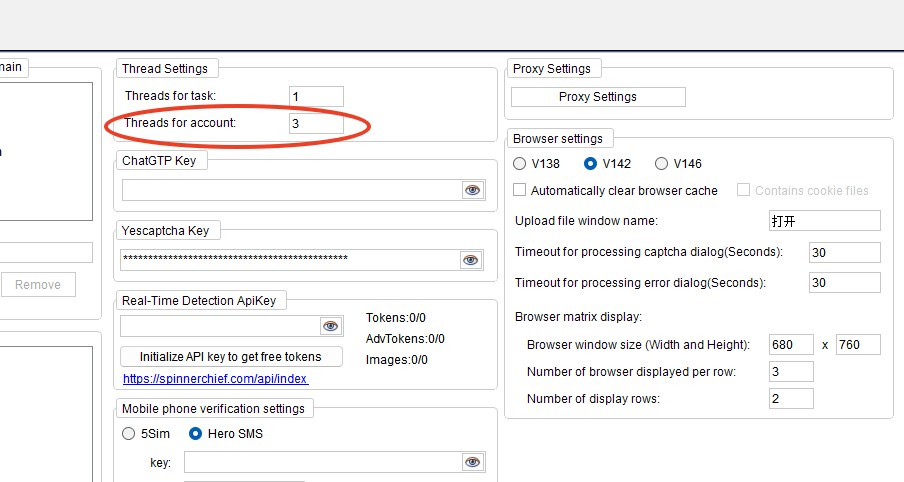
Threads determine how many browser sessions can work simultaneously.
For example:
Example 1
Window Matrix:
12 × 7 = 84 windows
Threads for account:
6
Result:
Only 6 browser sessions will run at the same time.
As one browser finishes its task, another browser starts automatically.
Example 2
Window Matrix:
12 × 7 = 84 windows
Threads:
84
Result:
All 84 browser sessions can run simultaneously.
Keep in mind that running many browser sessions requires sufficient CPU and RAM.
If your computer cannot handle the workload, reduce the number of threads.
3. Browser Window Size
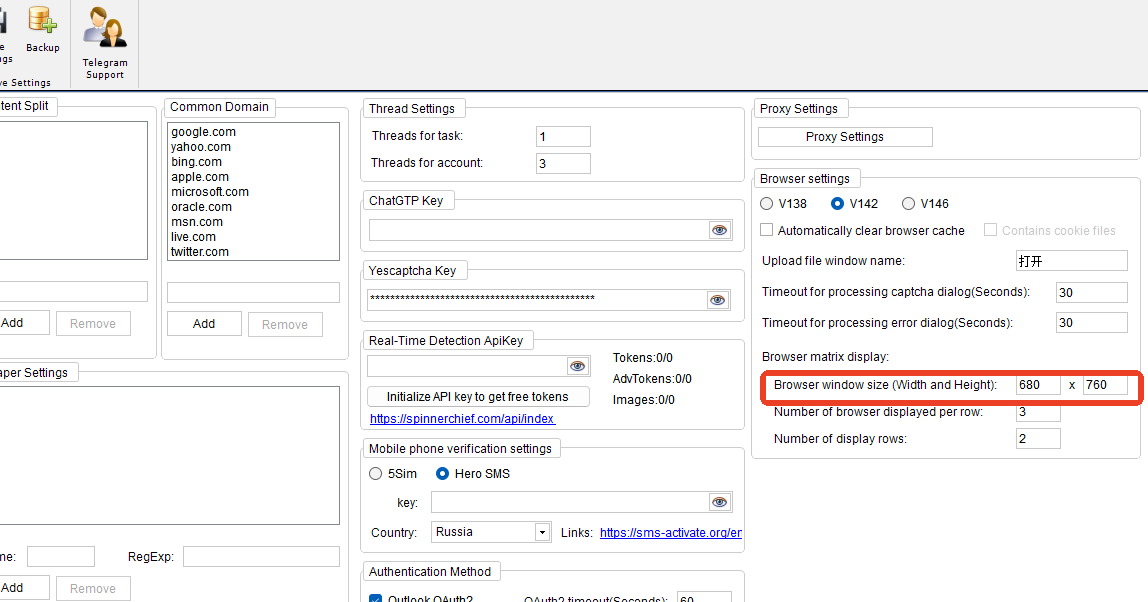
Some users reduce the browser size to extremely small values, such as:
Width: 100 px
Height: 200 px
We do not recommend using such a small browser window.
A very small browser may cause:
- Gmail or Outlook page elements not to display correctly
- Automation failures because elements cannot be found
- A browser environment that looks unusual compared to normal users
For better stability, we recommend using a normal browser size whenever possible.
If everything works correctly on your computer, you can continue using your preferred settings.
4. Send Way: TO
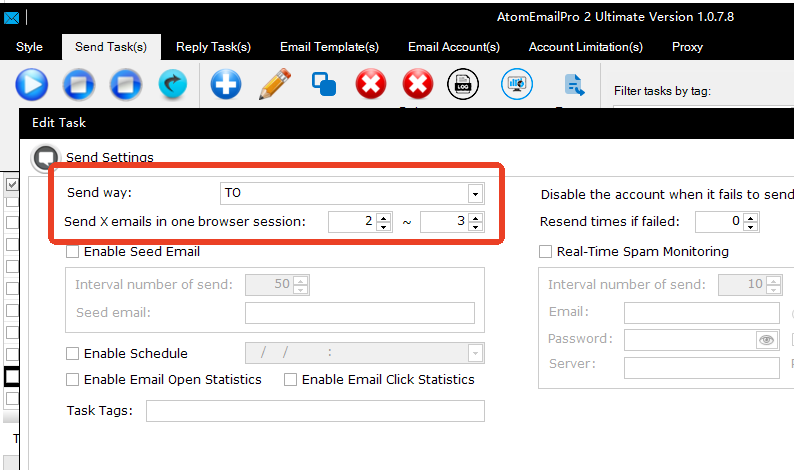
When Send Way is set to TO, each recipient receives an individual email.
Example:
Recipient List
[email protected] [email protected] [email protected]AtomEmailPro sends:
- Email #1 → [email protected]
- Email #2 → [email protected]
- Email #3 → [email protected]
Each recipient receives a separate email.
This is the most common and recommended sending method.
5. Send X Emails in One Browser Session
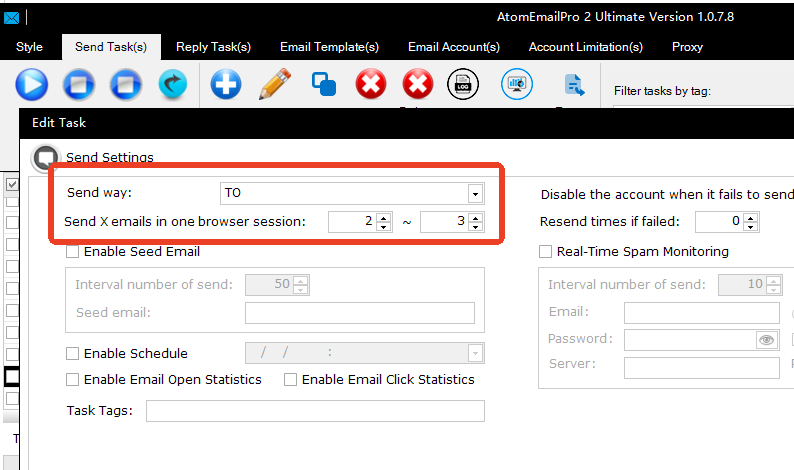
This setting controls how many emails one browser session sends before closing the browser.
Example: 1 ~ 1
Process:
- Open browser
- Log into Gmail or Outlook
- Send 1 email
- Close browser
The browser will repeat this process for every email.
Example: 30 ~ 30
Process:
- Open browser
- Log into Gmail or Outlook
- Send 30 emails
- Close browser
Using a larger value reduces the number of browser logins, making sending more efficient.
However, sending too many emails in a single browser session may increase the risk of triggering provider security checks.
Choose a value appropriate for the reputation of your email accounts.
6. Daily Sending Limit Per Account
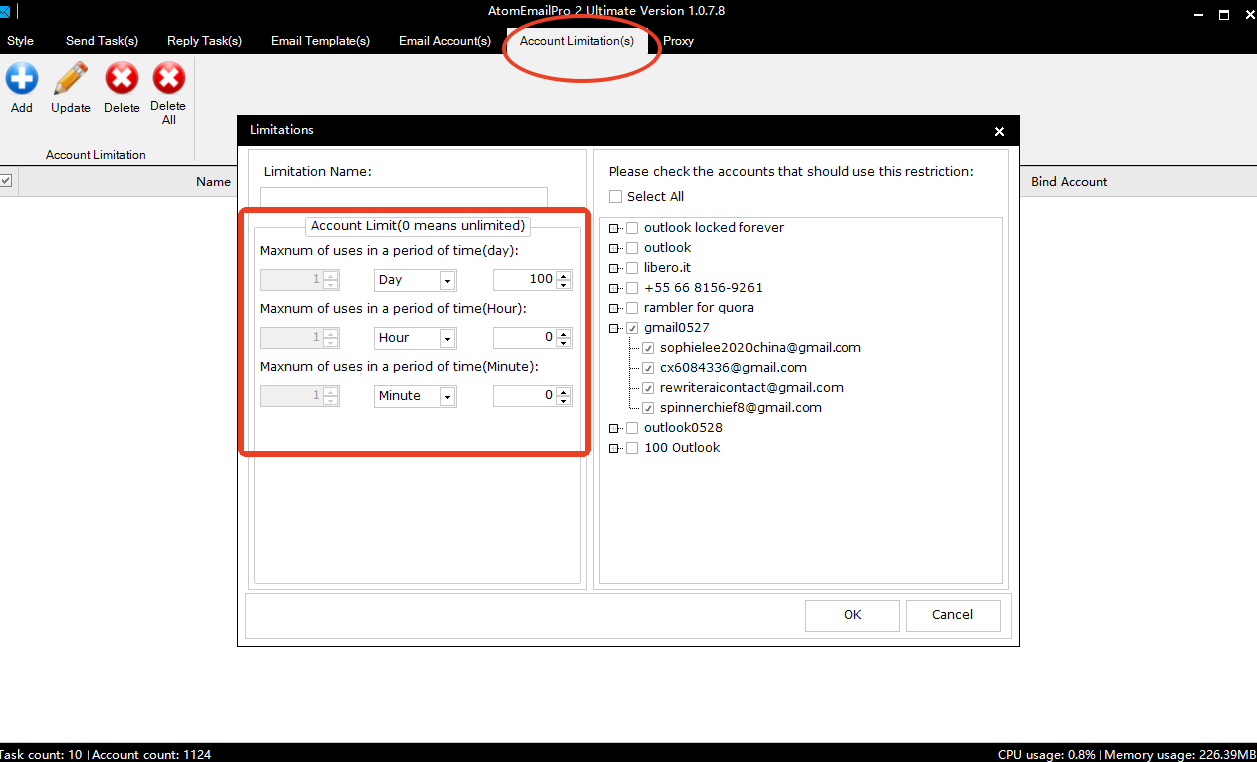
Every email provider has sending limits.
The maximum number of emails an account can safely send depends on factors such as:
- Account age
- Account reputation
- Previous sending history
- Bounce rate
- Spam complaints
- Provider policies
There is no single number that works for every account.
As a general recommendation:
- Start with a conservative sending volume for new accounts.
- Gradually increase daily sending over time.
- Stop sending immediately if the provider starts requesting additional verification.
Healthy accounts can usually send significantly more emails than newly created accounts.
7. Recommended Settings
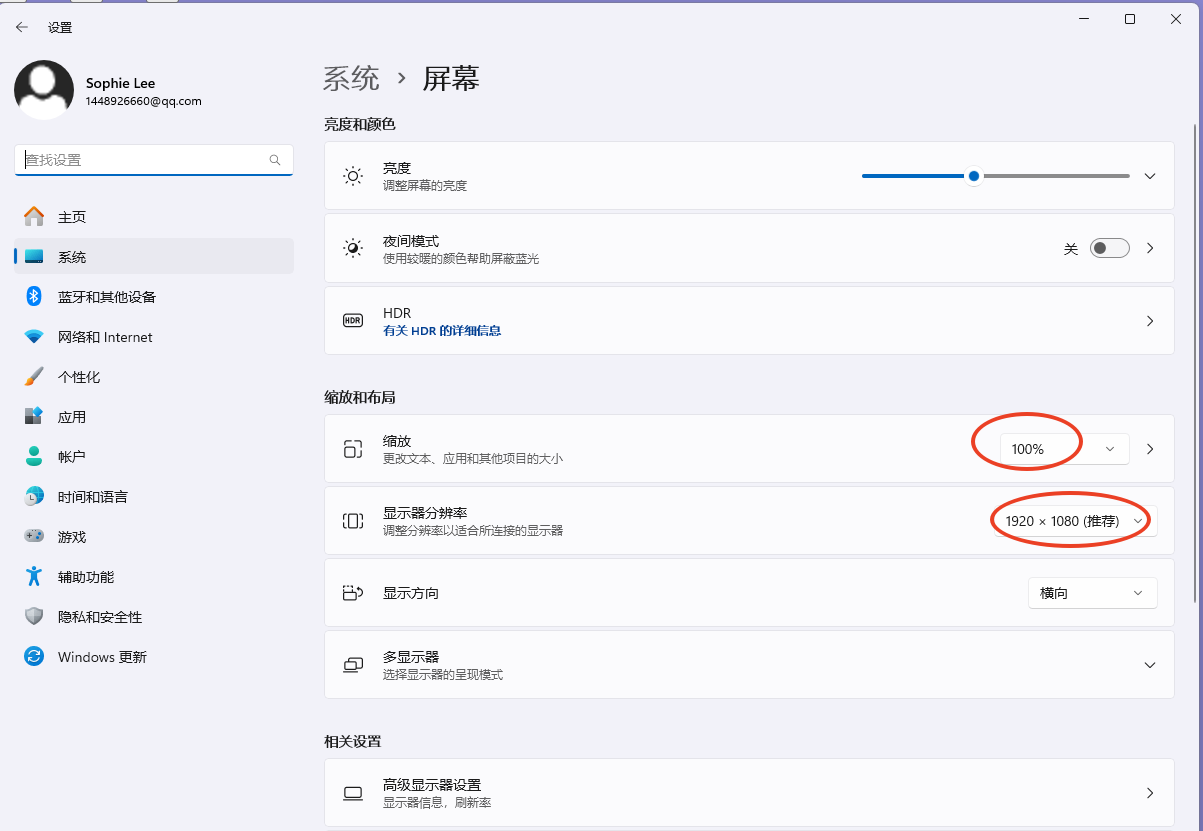
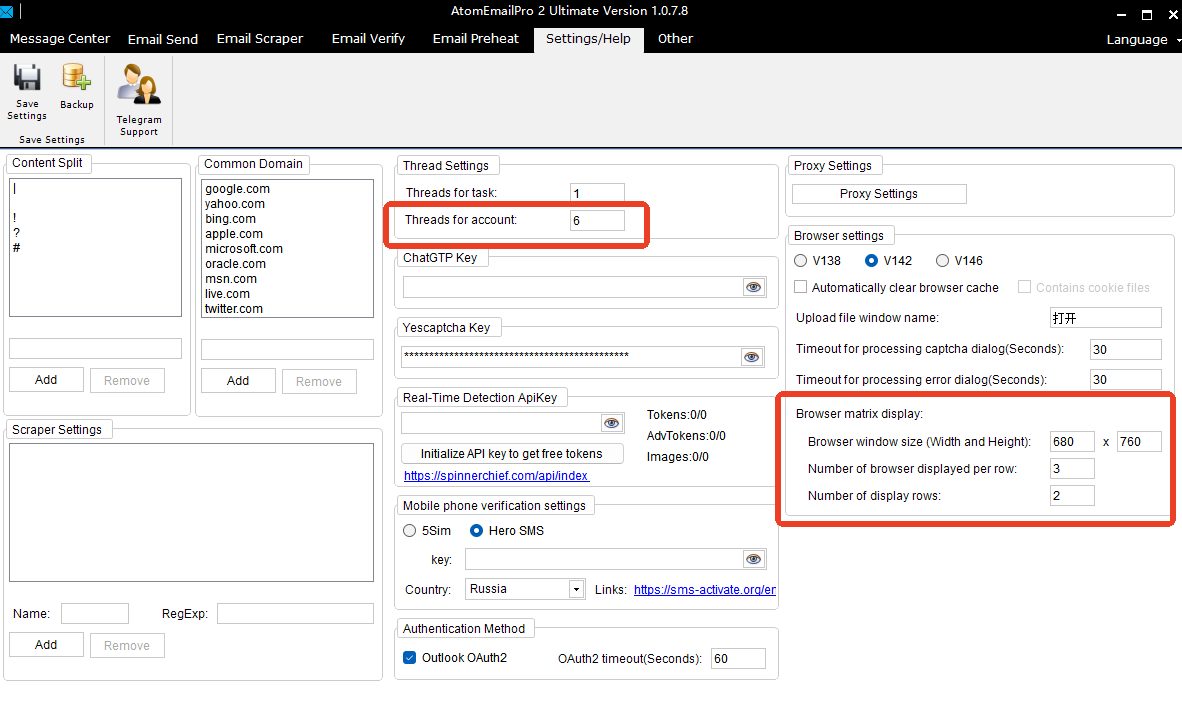
For most users, the following settings provide a good balance between speed and stability:
- Browser Window Matrix: according to your monitor size
- Threads: based on your CPU and RAM
- Send Way: TO
- Send X Emails in One Browser Session: 20–30
- Increase daily sending volume gradually instead of sending a large number on the first day
Remember that email deliverability depends not only on AtomEmailPro but also on your email accounts, proxies, recipient list quality, and the policies of the email provider.
Following reasonable sending practices will help improve long-term sending success.