



How to Get an Outlook OAuth2 Token for Sending and Receiving Emails
Outlook supports OAuth2 authentication for accessing email accounts. If you want to use an Outlook account with AtomEmailPro or PVACreator, you may need to obtain an OAuth2 token first.
This guide explains the basic requirements and how the process works.
1. What Is an Outlook OAuth2 Token?
An OAuth2 token allows a supported application to access an Outlook mailbox without requiring you to enter your email password every time.
It can be used for different email operations, depending on the permissions granted:
Sending emails: AtomEmailPro can use OAuth2 authentication to send emails through supported Outlook accounts.
Receiving emails: PVACreator can use Outlook email access to retrieve verification emails and codes automatically.
OAuth2 authentication makes it easier for applications to access your mailbox through Microsoft's authorized authentication process.
2. Why Does Your Outlook Account Need a Recovery Email?
Microsoft may require an Outlook account to have a recovery email address before you can obtain an OAuth2 token.
A recovery email is an additional email address linked to your Outlook account. Microsoft may use it to verify your identity and help protect your account.
Before obtaining a token, make sure that:
Your Outlook account has a recovery email address linked to it.
You can access the recovery email account.
You can receive and complete the verification required by Microsoft.
Important: Adding a recovery email address may not be enough by itself. You may also need to verify that address before you can complete the token authorization process.
3. How to Obtain an Outlook OAuth2 Token
Follow these basic steps:
Step 1: Add a recovery email
Sign in to your Outlook account and open the account security settings. Add a recovery email address if one is not already linked to the account.
Step 2: Verify the recovery email
Microsoft may send a verification code to the recovery email address. Open that mailbox, retrieve the code, and complete the verification process.
Step 3: Obtain the OAuth2 token
After the recovery email has been linked and verified, proceed with the OAuth2 authorization process supported by your application or token acquisition tool.
Follow the prompts to complete Microsoft's authentication process.
The exact steps may vary depending on your account and the authorization method you use.
4. How Long Is an Outlook OAuth2 Token Valid?
An Outlook OAuth2 token is generally associated with an expiration period. In many setups, an access token lasts for approximately one hour, while a refresh token may remain usable for much longer.
For some Outlook token acquisition workflows, users may encounter a validity period of around three months.
However, three months is not a universal validity period for every Outlook token. The actual lifetime depends on the type of token, Microsoft's policies, and the account's authentication conditions. Tokens may also become invalid earlier.
If your application stops accessing an Outlook mailbox, check whether the token has expired or whether Microsoft requires you to authorize the account again.
5. Using Outlook OAuth2 with AtomEmailPro
AtomEmailPro supports Outlook email workflows, including OAuth2-based sending where the account and authorization method are supported.
With OAuth2 authentication, you can authorize eligible Outlook accounts and use them for email sending without configuring traditional SMTP credentials.
If you plan to send emails through AtomEmailPro, make sure your Outlook account meets Microsoft's authentication requirements and that the token is valid.
Note: Outlook accounts that cannot complete OAuth2 authorization may still be usable through Outlook Web automation, depending on the account and the sending method you choose.
6. Using Outlook Email Retrieval with PVACreator
PVACreator can use email retrieval to obtain verification codes sent to your Outlook mailbox during account registration.
For example, if you are registering an account on a website that sends a verification code to Outlook, PVACreator needs a supported way to access that mailbox and retrieve the code.
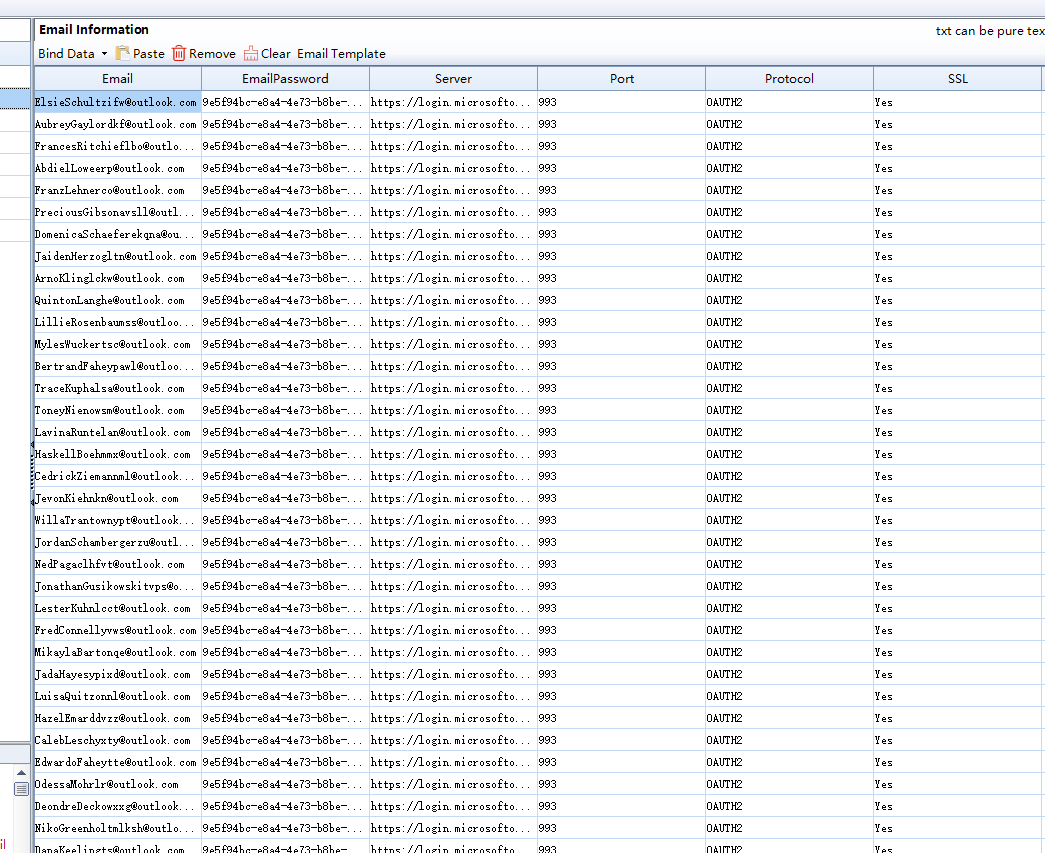
If you use OAuth2 for Outlook email retrieval, make sure the account has completed the required authorization and that the token remains valid.
This helps PVACreator access supported Outlook mailboxes for email verification.
7. Common Problems
Problem 1: I cannot obtain an Outlook OAuth2 token.
Check whether a recovery email has been added and verified. Microsoft may require this before allowing token authorization.
Problem 2: My token worked before but no longer works.
The token may have expired or been revoked. Check the token's status and complete the authorization process again if necessary.
Problem 3: I can access Outlook in my browser, but OAuth2 authorization fails.
Being able to sign in to Outlook through a browser does not necessarily mean the account can complete OAuth2 authorization. Microsoft's security requirements and the authorization method may affect the result.
Problem 4: Do I have to use OAuth2 to access Outlook email?
Not necessarily. Depending on your needs and the supported features, AtomEmailPro may offer Outlook Web automation as an alternative for sending emails. PVACreator's email retrieval requirements depend on the specific workflow and supported configuration.
Conclusion
Before using an Outlook account for OAuth2 email sending or retrieval, check that the account meets Microsoft's security requirements and that the recovery email has been verified when required.
AtomEmailPro uses supported Outlook authentication methods for email sending, while PVACreator can use supported email retrieval methods to obtain verification codes.
Preparing your Outlook account correctly can help avoid authorization problems and make the setup process easier.