



How to Send Bulk Emails from Multiple Gmail Accounts: A Complete Guide
Sending bulk emails from a single Gmail account may work for small campaigns, but it quickly becomes difficult when your email volume grows.
You may need to send emails to hundreds or thousands of recipients, manage multiple sender identities, personalize messages, control the sending volume of each account, and keep track of different campaigns.
This is where using multiple Gmail accounts can become a practical approach.
Instead of sending an entire campaign through one sender account, you can distribute your email workload across multiple Gmail accounts and manage the accounts from a centralized workflow.
In this guide, we will explain how to send bulk emails from multiple Gmail accounts, how to distribute sending volume, how to choose between Gmail web sending and SMTP, how email warm-up fits into the process, and how to manage large numbers of sender accounts efficiently.
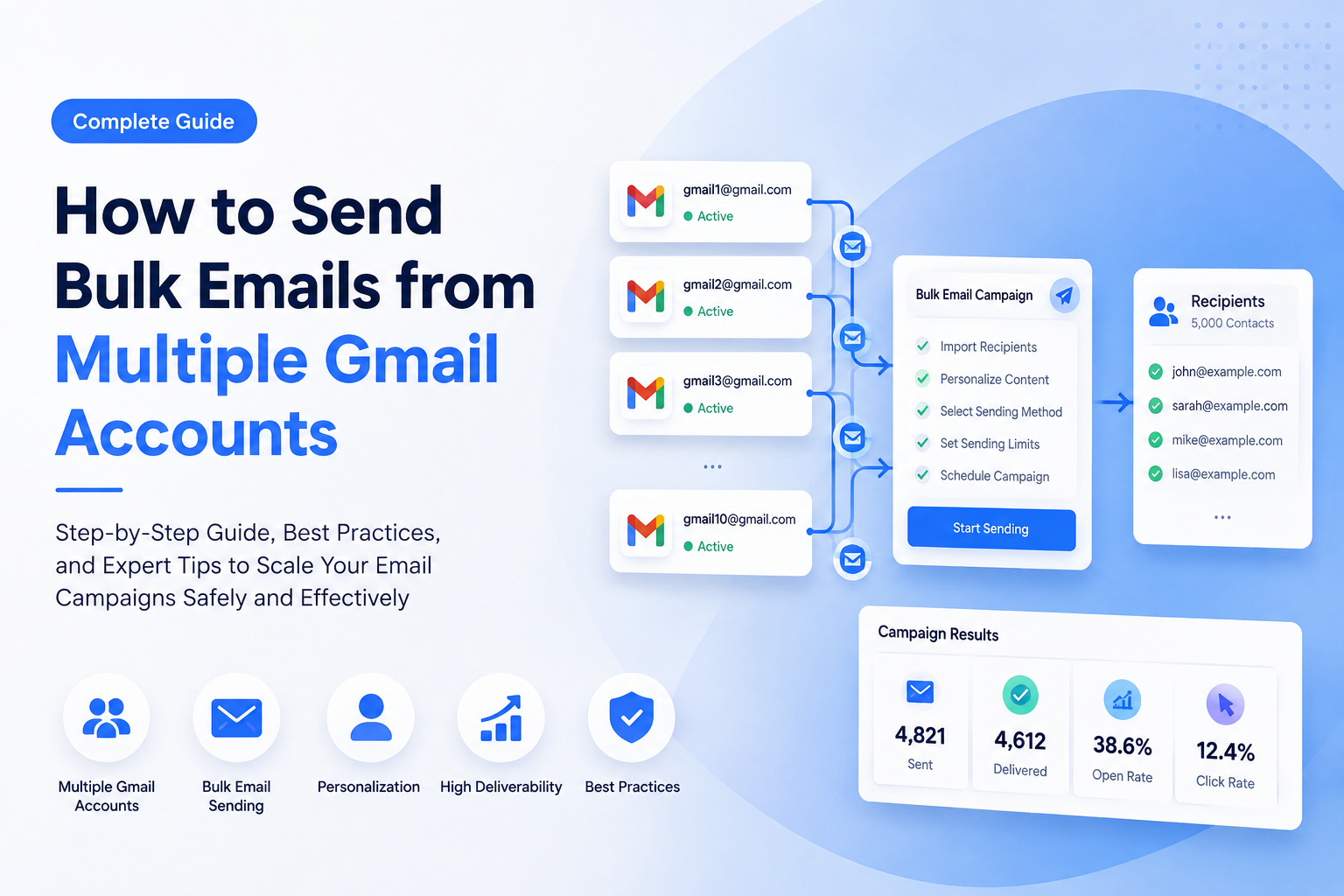
Why Use Multiple Gmail Accounts for Bulk Email?
Before discussing the technical setup, it is important to understand why multiple sender accounts may be useful.
Imagine that you have a campaign with 5,000 recipients.
If everything is sent through one Gmail account, you have created a single sending point for the entire campaign.
With multiple sender accounts, the campaign can instead be organized across several accounts.
For example:
- Sender A → 500 recipients
- Sender B → 500 recipients
- Sender C → 500 recipients
- Sender D → 500 recipients
- Sender E → 500 recipients
- Sender F → 500 recipients
- Sender G → 500 recipients
- Sender H → 500 recipients
- Sender I → 500 recipients
- Sender J → 500 recipients
The purpose is not simply to "send more emails."
A multi-account strategy gives you more flexibility over:
- Sending volume
- Sender identity
- Campaign organization
- Account-level limits
- Sending schedules
- Personalization
- Campaign separation
- Operational management
For businesses running multiple outreach campaigns, agencies managing different clients, and marketers working with several sender identities, this can be significantly easier than manually switching between accounts.
1. What Do You Need to Send Bulk Emails from Multiple Gmail Accounts?
A multi-account Gmail sending workflow generally requires four things.
1. Gmail sender accounts
You need the Gmail accounts that will be used as senders.
These accounts should be properly configured and accessible before you start sending campaigns.
If the accounts are new, do not immediately treat them like established high-volume senders.
Account history, sending behavior, recipient engagement, authentication, and message quality can all affect deliverability.
2. A recipient list
Your recipient data should be organized before launching the campaign.
A typical CSV file might contain:
email,first_name,company [email protected],John,Example Inc [email protected],Sarah,Example Ltd [email protected],Mike,Example CoThis structure allows you to personalize messages instead of sending exactly the same email to everyone.
3. A sending system
Managing several Gmail accounts manually becomes inefficient very quickly.
For example, if you have 20 sender accounts, manually logging into each account, composing messages, selecting recipients, sending emails, and checking results can become a full-time administrative task.
A centralized bulk email application can automate much of this workflow.
4. A sending strategy
This is the part that is often overlooked.
Having 50 Gmail accounts does not automatically mean you should send a huge number of emails immediately.
You need a strategy for:
- Account sending limits
- Sending intervals
- Daily volume
- Recipient distribution
- Personalization
- Warm-up
- Bounce management
- Unsubscribe handling
- Campaign scheduling
The software can automate the mechanics, but the sending strategy still matters.
2. Gmail Web Sending vs SMTP
One of the most important decisions is how your software communicates with Gmail.
There are two common approaches:
Gmail Web Sending
The software interacts with Gmail through its web interface.
SMTP Sending
The software connects to the Gmail SMTP server and sends messages through the SMTP protocol.
Both approaches have advantages and limitations.
Gmail Web Sending
Web sending can be useful when you want the sending process to operate through the Gmail web environment.
This can be particularly useful when SMTP authentication or configuration becomes inconvenient.
A typical workflow looks like this:
Gmail Account ↓ Gmail Web Interface ↓ Sending Application ↓ RecipientThe main advantage is that you are working with Gmail's web environment rather than relying entirely on SMTP configuration.
SMTP Sending
SMTP is a traditional email delivery method.
The basic workflow looks like:
Sending Application ↓ Gmail SMTP ↓ Recipient Mail Server ↓ Recipient InboxSMTP can be convenient when you have many accounts and want a standardized technical configuration.
However, SMTP authentication and account configuration can sometimes become more complicated, particularly when providers change their authentication requirements.
Which One Should You Use?
There is no universal answer.
The better option depends on:
- Your account configuration
- Your Gmail security settings
- Authentication requirements
- Campaign volume
- Software support
- Whether web-based sending is more convenient for your workflow
A flexible email sending solution should ideally support both approaches so you can choose the appropriate method for each account.
3. How to Distribute Emails Across Multiple Gmail Accounts
This is one of the most important parts of a multi-account strategy.
Suppose you have:
- 10 Gmail sender accounts
- 5,000 recipients
You could theoretically divide the recipients equally:
5,000 ÷ 10 = 500 recipients per account
But equal distribution is not always the best approach.
Different accounts may have different histories, sending patterns, and limits.
A better system allows you to define account-level sending limits.
For example:
| Sender | Daily Limit | Campaign |
|---|---|---|
| Account A | 300 | Campaign 1 |
| Account B | 400 | Campaign 1 |
| Account C | 250 | Campaign 1 |
| Account D | 350 | Campaign 1 |
| Account E | 300 | Campaign 1 |
The important idea is that sending volume should be controlled at the account level.
Instead of thinking:
"I have 5,000 emails to send."
Think:
"I have 5,000 emails that need to be distributed across several controlled sender accounts."
This makes campaign management much more predictable.
4. Should Every Gmail Account Send the Same Number of Emails?
Not necessarily.
A common mistake is assuming that every account should have exactly the same sending volume.
For example:
Account A → 500 Account B → 500 Account C → 500 Account D → 500This is simple, but real-world accounts are not always identical.
You may have:
- Older accounts
- Newer accounts
- Different account histories
- Different sender identities
- Different campaigns
- Different recipient segments
Therefore, a flexible system should allow different sending limits for different accounts.
For example:
Account A → 300 Account B → 400 Account C → 250 Account D → 500 Account E → 350The sending system can then distribute recipients according to those limits.
This is much more practical than forcing every account to behave identically.
5. How to Avoid Sending Everything at Once
Another important consideration is timing.
If 10 accounts all start sending hundreds of emails at exactly the same moment, the campaign may look unnecessarily aggressive from an operational perspective.
Instead, consider using scheduling and intervals.
For example:
09:00 → Account A starts 09:10 → Account B starts 09:20 → Account C starts 09:30 → Account D starts 09:40 → Account E startsThe exact timing depends on your campaign and account configuration.
The important concept is that bulk email does not have to mean sending everything simultaneously.
A scheduling system allows you to spread campaign activity over a longer period.
This can also make campaign management easier because you can monitor results progressively instead of dealing with the entire campaign at once.
6. Email Personalization Becomes More Important as Volume Increases
Sending from multiple Gmail accounts does not solve the problem of irrelevant email.
If you send the same generic message to thousands of recipients, the campaign can still perform poorly.
Personalization should therefore be part of the workflow.
For example:
Hi {FirstName},
I noticed that {Company} is currently expanding its marketing activities.
I wanted to introduce a solution that may help your team manage this process more efficiently.
Instead of:
Hi,
We have a great product. Please check our website.
Personalization can use fields such as:
- First name
- Last name
- Company
- Website
- Job title
- Location
- Custom variables
You can also use different subject lines or message variations for different campaigns.
The objective is not to make an email look artificially different.
The objective is to make the message genuinely more relevant to the recipient.
7. Spintax Can Help Create Message Variations
Another technique used in bulk email campaigns is Spintax.
For example:
{Hi|Hello|Hey} {FirstName},
I wanted to {introduce|share|recommend} a solution that may help your team.
The system can generate variations such as:
Hi John,
I wanted to introduce a solution that may help your team.
or:
Hello Sarah,
I wanted to share a solution that may help your team.
However, Spintax should be used carefully.
Simply replacing a few words does not automatically create high-quality content.
Good email campaigns still need:
- A clear purpose
- Natural language
- Relevant information
- Useful offers
- Accurate personalization
- Appropriate targeting
Content variation should support message quality, not replace it.
8. Email Warm-Up Before Scaling Your Campaign
One of the biggest mistakes with new sender accounts is immediately attempting to use them for high-volume campaigns.
A new account does not necessarily have the same sending history as an established account.
This is where email warm-up becomes relevant.
A warm-up strategy generally involves gradually establishing normal sending activity before significantly increasing campaign volume.
For example, you might use a gradual progression such as:
Stage 1 → Low volume Stage 2 → Slightly higher volume Stage 3 → Moderate volume Stage 4 → Increased volume Stage 5 → Normal campaign volumeThe exact numbers should not be treated as a universal formula.
Different accounts and sending environments behave differently.
More importantly, warm-up is not a magic solution for poor email practices.
If your campaign contains irrelevant recipients, poor-quality content, high bounce rates, or unwanted messages, warm-up alone will not fix those problems.
Warm-up should be viewed as one component of a broader email deliverability strategy.
9. Don't Ignore Email List Quality
The quality of your recipient list can be just as important as your sender accounts.
Before launching a large campaign, consider checking:
- Invalid addresses
- Typographical errors
- Bounced addresses
- Disposable email addresses
- Duplicate contacts
- Unsubscribed contacts
- Previously rejected recipients
A larger list is not necessarily a better list.
For example:
10,000 relevant contacts
can be more valuable than:
100,000 poorly targeted contacts.
List quality affects campaign performance, reputation, and overall sending efficiency.
That is why a professional bulk email workflow should include list verification and cleaning before sending.
10. Keep Your Sender and Recipient Data Organized
When you have only one Gmail account, organization is relatively simple.
When you have 20, 50, or 100 sender accounts, organization becomes critical.
You should be able to answer questions such as:
- Which account is assigned to this campaign?
- How many emails has this account sent?
- What is its sending limit?
- Which recipients have already received the message?
- Which accounts are currently active?
- Which campaign does each account belong to?
- Which accounts need attention?
A centralized management system can make this much easier.
Instead of maintaining dozens of browser tabs and spreadsheets, you can manage your sender accounts and campaigns from one interface.
11. Why Manual Gmail Management Becomes Difficult
Let's imagine that you have 30 Gmail accounts.
You need to:
- Open Gmail.
- Log into Account 1.
- Find the campaign.
- Select recipients.
- Send emails.
- Check the results.
- Log out.
- Log into Account 2.
- Repeat the process.
After repeating this 30 times, the amount of manual work becomes obvious.
And this is only one campaign.
If you manage multiple campaigns, the complexity grows quickly.
A centralized application can automate repetitive tasks such as:
- Account management
- Recipient importing
- Message generation
- Personalization
- Scheduling
- Sending
- Account-level limits
- Campaign management
- Sending statistics
This changes the workflow from:
Manual account-by-account operation
to:
Centralized campaign management
12. How AtomEmailPro Helps Manage Multiple Gmail Accounts
AtomEmailPro is designed for users who need more than a basic single-account email sender.
Instead of managing every Gmail account independently, you can organize multiple sender accounts within a centralized email sending workflow.
The platform supports Gmail and other major email services and provides multiple sending methods, including SMTP and browser-based web sending.
It also includes features designed for large-scale email operations, such as:
- Multiple sender account management
- Multi-threaded sending
- Email personalization
- Spintax
- CSV-based recipient management
- Email verification
- Email scraping
- Email preheating
- Auto-reply
- Scheduled sending
- Sending limits
- Campaign management
This means you can build a workflow such as:
Import Gmail Accounts ↓ Configure Sending Limits ↓ Import Recipient List ↓ Create Personalized Campaign ↓ Select Sending Method ↓ Schedule Campaign ↓ Distribute Emails Across Accounts ↓ Monitor SendingThe key advantage is not simply "sending more emails."
The real advantage is being able to manage a complicated multi-account email operation from a single workflow.
13. A Practical Multi-Gmail Campaign Example
Let's look at a simplified example.
Suppose a company needs to contact 3,000 relevant business prospects.
The company has 10 sender accounts.
Instead of manually managing each Gmail account, the campaign can be structured like this:
Sender accounts
10 Gmail accountsRecipient list
3,000 verified contactsCampaign
1 personalized email campaignDistribution
Account 1 → assigned sending limit Account 2 → assigned sending limit Account 3 → assigned sending limit ... Account 10 → assigned sending limitContent
Each email can include personalized fields such as:
First Name Company Website Custom MessageScheduling
The campaign can be scheduled instead of launching all activity simultaneously.
Monitoring
The sender accounts and campaign can then be monitored from a centralized interface.
This is much easier to maintain than operating ten Gmail accounts independently.
14. Common Mistakes When Sending Bulk Emails from Multiple Gmail Accounts
Using multiple accounts does not automatically make a campaign successful.
Here are some common mistakes.
Mistake 1: Sending too much too quickly
Adding more accounts and immediately increasing volume dramatically is not a good strategy.
Scale gradually and monitor the results.
Mistake 2: Using poor-quality recipient lists
Invalid or irrelevant recipients can hurt campaign performance.
Verify your list before sending.
Mistake 3: Sending generic messages
Multiple sender accounts cannot compensate for poor content.
Make your messages useful and relevant.
Mistake 4: Ignoring account differences
Not every Gmail account should necessarily have the same sending configuration.
Use account-level controls.
Mistake 5: Relying entirely on warm-up
Warm-up does not make an unwanted or poorly targeted campaign acceptable.
Deliverability is influenced by many factors.
Mistake 6: Manually managing too many accounts
Once the number of accounts grows, manual operation becomes inefficient and error-prone.
Centralized management becomes increasingly valuable.
Mistake 7: Ignoring replies
A campaign should not be considered complete simply because the messages were sent.
Replies can contain:
- Interested prospects
- Questions
- Requests for information
- Unsubscribe requests
- Negative feedback
A good email workflow should include reply management as part of the process.
15. Best Practices for Multi-Account Gmail Sending
If you are building a multi-account email operation, keep these principles in mind.
Start with quality, not volume
A smaller list of relevant recipients is usually more valuable than a huge list of poorly targeted contacts.
Personalize your messages
Use recipient information to make emails more relevant.
Control account-level volume
Don't treat every sender account as identical.
Use scheduling
Spread campaign activity over an appropriate period.
Warm up new accounts appropriately
Don't assume a newly configured account should immediately operate at high volume.
Monitor deliverability
Watch for bounces, complaints, delivery problems, and other negative signals.
Maintain clean lists
Remove invalid, duplicate, and unwanted contacts.
Respect recipient preferences
Provide an appropriate way for recipients to stop receiving future messages where applicable.
Keep campaigns organized
Separate different campaigns, sender identities, and recipient segments.
Automate repetitive work
When the number of accounts increases, automation can save substantial operational time.
16. Frequently Asked Questions
Can I send bulk emails from multiple Gmail accounts?
Yes. You can organize multiple Gmail accounts as sender accounts and distribute campaign emails across them. The exact sending volume and method should depend on your account configuration and Google's current policies.
Is it better to use one Gmail account or multiple Gmail accounts?
For small campaigns, one account may be sufficient.
For larger operations involving multiple sender identities or campaigns, multiple accounts can provide greater flexibility and easier workload distribution.
Can I use Gmail SMTP for bulk email?
Gmail supports SMTP-based email sending, but authentication, account configuration, and provider policies should be considered before building a large-scale workflow.
Can I send emails through Gmail Web instead of SMTP?
Yes, web-based sending can be an alternative when your workflow is better suited to Gmail's web environment.
Should every Gmail account have the same sending limit?
No. Different accounts may have different histories and campaign requirements. Account-level limits give you more control.
Do I need to warm up every Gmail account?
New or less-established accounts may benefit from a gradual sending strategy. However, warm-up should not be considered a guaranteed solution for deliverability problems.
Can I personalize emails when sending from multiple Gmail accounts?
Yes. A centralized bulk email platform can combine multiple sender accounts with recipient variables such as first name, company, website, and other custom fields.
What is the easiest way to manage many Gmail sender accounts?
Instead of manually switching between Gmail accounts, use a centralized email management and sending solution that supports multiple sender accounts, scheduling, personalization, sending limits, and campaign management.
Conclusion
Sending bulk emails from multiple Gmail accounts is not simply a matter of adding more sender accounts.
The real challenge is building a system that can manage accounts, sending volume, recipients, content, scheduling, personalization, warm-up, and deliverability in a coordinated way.
For a small campaign, manually using Gmail may be enough.
But as the number of sender accounts and recipients increases, manual operation becomes increasingly difficult.
A centralized solution such as AtomEmailPro can simplify this process by bringing multiple sender accounts, recipient lists, campaign management, personalization, SMTP and web sending, scheduling, verification, and email warm-up into one workflow.
The goal should not be to send the maximum possible number of emails.
The goal is to build a controlled, organized, scalable, and sustainable email sending workflow that allows you to manage more campaigns with less manual work while maintaining good email practices.
If you are currently managing multiple Gmail accounts manually, moving to a centralized workflow can be one of the simplest ways to make your bulk email operation more efficient.