



Why Automate Email Sending in the Browser Instead of Using an Email API?
When people think about email automation, they usually think about email marketing platforms, SMTP servers, APIs, campaign dashboards, and contact databases.
But what if you don't need all of that?
What if you already have your Gmail or Outlook webmail account, already know how you want to write your emails, and simply want to stop repeating the same browser actions again and again?
That is where browser email automation becomes interesting.
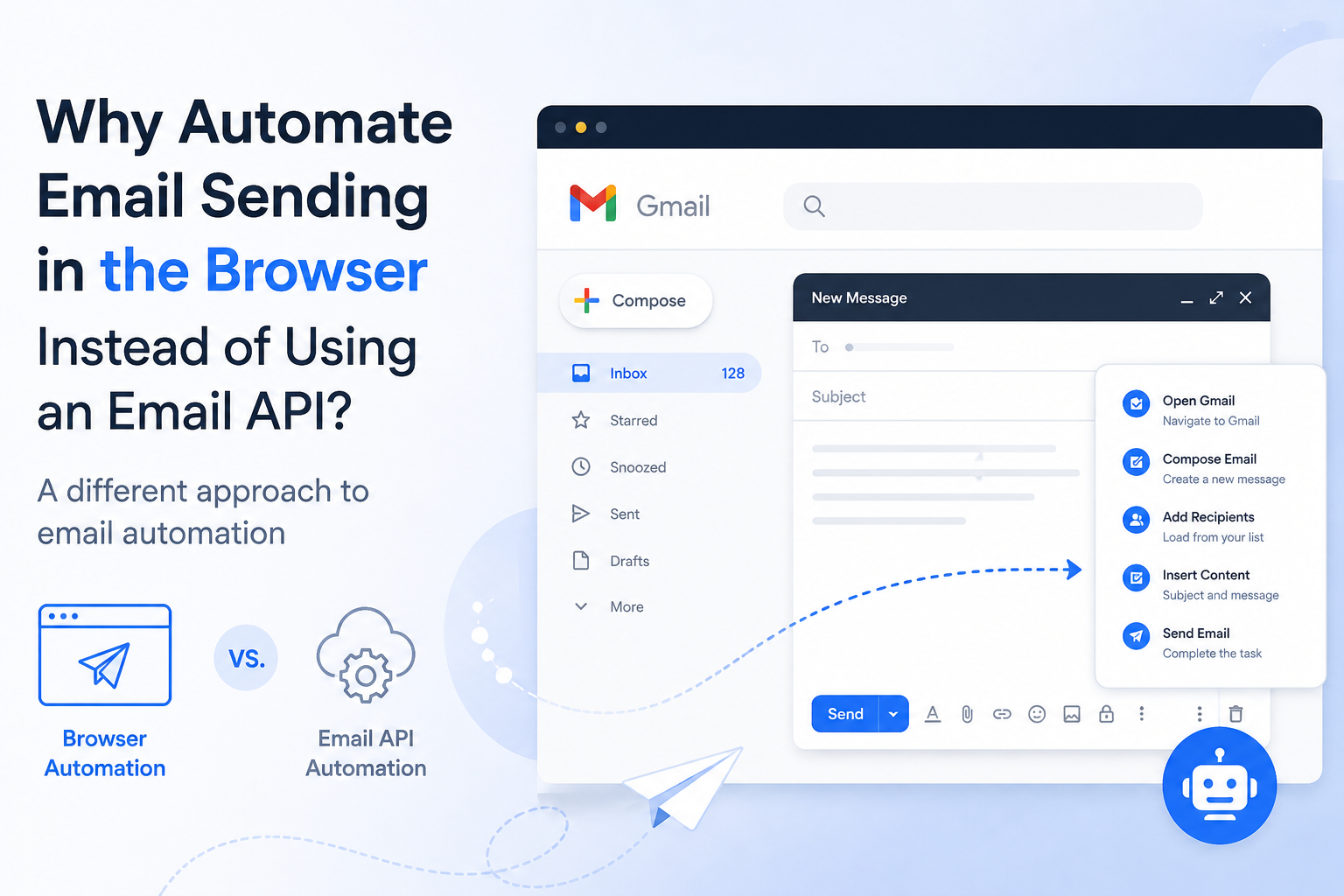
Instead of building another email sending system, browser automation takes a different approach: it automates the work you already do inside your webmail interface.
And for some workflows, that can be a much simpler way to automate email tasks.
Email Automation Does Not Always Mean Using an Email API
Email APIs are powerful.
They allow developers and businesses to build sophisticated systems for sending emails, managing campaigns, tracking events, and connecting email with other applications.
For large-scale email infrastructure, APIs can make a lot of sense.
But not every email workflow needs an API.
Consider a simple example.
You open Gmail in your browser.
You click Compose.
You enter an email address.
You enter a subject.
You paste your message.
You send the email.
Then you repeat the process.
If you are doing this dozens of times, the problem is not necessarily email delivery.
The problem is the repetitive browser work.
This is where browser automation takes a different approach.
What Is Browser Email Automation?
Browser email automation means using automation software to perform repetitive actions through a web browser.
Instead of connecting directly to an email provider through an API, the automation works with the web interface that you already use.
The basic idea is simple:
Open webmail → perform actions → complete the task → repeat
Depending on the workflow, this can include actions such as opening pages, entering information, selecting fields, inserting text, and completing repetitive email operations.
The important difference is that the automation is focused on the workflow, rather than building a completely separate email sending infrastructure.
Browser Automation vs. Email API Automation
These two approaches solve different problems.
An email API is generally designed for applications that need programmatic access to email services.
Browser automation is useful when the task already exists as a sequence of actions inside a website.
Think about the difference this way:
| Email API Automation | Browser Email Automation |
|---|---|
| Connects software directly to an email service | Automates actions in the web interface |
| Often requires API access | Works through the browser workflow |
| Useful for application-level integrations | Useful for repetitive web tasks |
| Suitable for building email infrastructure | Suitable for automating existing workflows |
| Often requires technical configuration | Can focus on reproducing user actions |
Neither approach is automatically better.
They are simply designed for different situations.
If you are building a large email application, an API may be the obvious choice.
If you are trying to automate a workflow that you already perform manually in Gmail or another webmail interface, browser automation can be a much more natural approach.
Why Would Someone Automate Email Through the Browser?
There is one simple reason:
People already work in their browsers.
For many users, email is not an API.
It is a website.
They open their browser, log into their account, read messages, compose emails, reply to customers, follow up with contacts, and perform other tasks.
The interface is already familiar.
The problem is that repetitive actions take time.
Imagine that you need to process 50 similar email tasks.
Doing the work manually means repeating the same sequence many times.
Even if each task only takes one or two minutes, the total amount of repetitive work can quickly become significant.
Browser automation changes the workflow from:
Do the same thing 50 times manually
to:
Define the workflow and let automation repeat the routine.
That is a very different way of thinking about email automation.
Automating Email Tasks Instead of Building an Email Platform
This distinction is important.
A browser automation tool does not necessarily need to become another email marketing platform.
You may already have:
- Your email account
- Your email templates
- Your contact information
- Your browser
- Your existing workflow
What you may be missing is simply the automation layer.
In this situation, creating another email platform can add unnecessary complexity.
You don't necessarily need another dashboard.
You don't necessarily need another campaign system.
You may simply need software that can automate the repetitive actions you are already performing.
This is the idea behind email workflow automation.
What Can an Automated Email Workflow Look Like?
Consider a simple business follow-up workflow.
A person has a list of contacts that need to be contacted.
Instead of manually opening the webmail interface and repeating the same steps, the workflow can be structured around predefined information.
For example:
Recipient → Subject → Message → Email action
The automation can then handle the repetitive browser operations.
The same concept can be applied to many other repetitive business email tasks.
For example:
- Follow-up emails
- Business inquiries
- Partnership outreach
- Customer reminders
- Recruiting communication
- Sales follow-ups
- Networking messages
- Repetitive internal email tasks
The important point is that the automation is centered around the task, not around calling the software an email sender.
When Browser Email Automation Makes More Sense
Browser automation can be particularly interesting when your workflow has three characteristics.
1. You Already Use Webmail
If your normal workflow already happens inside Gmail, Outlook Web, or another browser-based email interface, moving everything to another platform may not be necessary.
You can keep the workflow you already understand.
The automation simply handles the repetitive parts.
2. Your Tasks Are Repetitive
If you perform the same sequence again and again, automation becomes more valuable.
For example:
Open the email interface.
Start a new message.
Enter information.
Insert content.
Complete the email task.
Repeat.
The more repetitive the process, the more obvious the value of automation becomes.
3. You Don't Need a Full Email Marketing Platform
Some users need sophisticated campaign management.
Others don't.
If you don't need a complete marketing platform and your main goal is to automate repetitive work in an existing webmail workflow, browser automation may be a better fit.
The Biggest Difference: Infrastructure vs. Workflow
This may be the easiest way to understand the difference.
An email API is primarily about infrastructure.
Browser automation is primarily about workflow.
An API helps software communicate with an email service.
Browser automation helps software perform tasks that a person would normally perform through a website.
That means the two approaches can coexist.
You don't have to think of them as competitors.
They solve different layers of the problem.
Where Does AtomEmailPro Fit?
This is where AtomEmailPro takes a different approach.
AtomEmailPro is built around browser-based email automation, rather than positioning itself simply as another bulk email sending platform.
The idea is straightforward:
Use your existing webmail workflow and automate repetitive email operations through the browser.
Instead of asking users to completely change the way they work with email, AtomEmailPro focuses on automating the browser-based process.
That makes the software interesting for users who think:
“I already know how to use my email account. I just don't want to keep doing the same actions manually.”
This is a different problem from building an email delivery platform.
AtomEmailPro Is Not Trying to Replace Your Email Service
This is an important distinction.
Your email provider remains your email provider.
Your browser remains the place where you work.
AtomEmailPro adds an automation layer around that workflow.
Think of it as:
Webmail + Browser Automation = Automated Email Workflow
Rather than:
New Email Platform + New Infrastructure + New Campaign System
For users who prefer their existing webmail environment, this can be a much easier concept to understand.
Who Should Consider Browser Email Automation?
Browser email automation may be worth considering if you:
- Already work primarily through webmail
- Have repetitive email tasks
- Want to reduce manual browser actions
- Work with multiple recurring email workflows
- Prefer keeping your existing email environment
- Don't need a complete email marketing platform
- Want to automate tasks rather than build email infrastructure
It may be less suitable if your primary requirement is advanced email infrastructure, complex campaign analytics, transactional email APIs, or large-scale application-level email delivery.
Again, the goal is not to replace every type of email automation.
The goal is to solve a specific problem well.
The Future of Email Automation May Not Be Only About APIs
For years, software automation has often focused on APIs.
And APIs are extremely useful.
But modern work is increasingly performed inside web applications.
People manage email, social media, customer support, research, sales, and business operations through browser interfaces every day.
That creates another opportunity for automation:
Automating the work people already perform inside websites.
Email is just one example.
Instead of asking:
“How can I build another email system?”
A different question is:
“How can I automate the email workflow I already have?”
That shift in perspective is what makes browser automation interesting.
Final Thoughts
Email automation does not have to mean building a new email platform.
Sometimes the problem is much simpler.
You already have your email account.
You already have your workflow.
You already know what needs to be done.
The only problem is that you have to repeat the same browser actions over and over again.
That's where browser email automation can make sense.
Email APIs remain an excellent solution for applications and email infrastructure. But when the goal is to automate repetitive actions inside an existing webmail workflow, browser automation offers a different path.
And that is the space AtomEmailPro is designed to explore:
not simply sending more emails, but automating the repetitive work involved in browser-based email workflows.