



Best Email Marketing Tools for Small Nonprofits: A Low-Cost Solution for 500+ Donors
Running a small nonprofit or volunteer-led community program comes with a familiar challenge: you need reliable email communication, but you probably don't have the budget for an expensive marketing platform.
This is especially true for seasonal programs such as holiday gift drives, Adopt A Family initiatives, community fundraisers, and donor outreach campaigns. You might only need to send emails for six to eight weeks each year, yet still have hundreds or thousands of contacts to manage.
A recent use case caught my attention: a volunteer organizing an Adopt A Family program needed an affordable way to email more than 500 returning donors, send general announcements, deliver personalized family-match instructions, and follow up with donors individually.
The existing workflow involved Mailchimp for general announcements, Mailmeteor for personalized emails through Google Sheets, and manual follow-ups through Gmail.
It worked, but the growing donor list created a new problem: finding an email tool that could handle everything without requiring an expensive year-round subscription.
If you're facing a similar situation, here's how I'd approach choosing the right bulk email sender or email marketing platform.
1. Start With Your Actual Email Requirements
Before comparing email marketing software, separate your needs into different categories.
For a small holiday donation program, the requirements might look like this:
Bulk email campaigns: Send program announcements to 500 or more donors.
Personalized email sending: Address each donor by name and include their specific family assignment.
Multiple email templates: Accommodate different family sizes, delivery instructions, and donation arrangements.
Spreadsheet integration: Import donor information from Google Sheets or CSV files.
Custom email design: Replace long blocks of text with readable, mobile-friendly email templates.
Follow-up management: Identify donors who still need to confirm details or respond.
Affordable pricing: Avoid paying for a full year when the program operates for only two months.
Notice that these requirements don't necessarily call for an advanced marketing automation platform.
You may not need complex customer journeys, SMS campaigns, sales funnels, or detailed conversion analytics. What you need is a straightforward way to send the right message to the right person.
That distinction can save a small nonprofit a surprising amount of money.
2. Which Free Email Marketing Tools Are Worth Considering?
Several tools are worth comparing, but they solve slightly different problems.
EmailOctopus: A Good Starting Point for Budget-Conscious Nonprofits
EmailOctopus is worth considering if your main priority is sending general email campaigns to a growing subscriber list.
Its Starter plan currently supports up to 2,500 contacts and 10,000 emails per month. It also provides an email editor, campaign reporting, and basic automation capabilities.
For a volunteer-run holiday program with approximately 500 donors, that capacity may be more than sufficient for newsletters and seasonal announcements.
The main question is whether its workflow is convenient enough for your individual donor-matching emails, especially when each recipient needs different instructions.
If most of your communication consists of newsletters and occasional announcements, EmailOctopus is a sensible first option.
Mailchimp: Convenient, but Check the Current Free-Plan Limits
Mailchimp is popular because it combines email design, contact management, campaign sending, and reporting in one platform.
However, its current free plan is limited to 250 contacts and 500 email sends per month. That makes it unsuitable for a donor list of more than 500 people unless you upgrade or use another arrangement.
For organizations that value a polished email builder and integrated campaign reports, a paid plan may still be worthwhile.
The important thing is to calculate the cost based on your actual sending schedule rather than automatically paying for features you won't use.
Gmail + Google Sheets + Mail Merge
If you're already comfortable with spreadsheets, this workflow can be surprisingly effective.
A donor spreadsheet might contain columns such as:
Donor name
Email address
Assigned family ID
Family size
Delivery instructions
Donation deadline
Follow-up status
You can then use a mail merge tool to populate each email with the correct information.
For example, one spreadsheet can support multiple types of donor messages without requiring you to maintain a separate contact list for every template.
The drawback is that sending limits, personalization options, reporting, and pricing vary by mail merge tool and Gmail account type. You also need to check that the tool can handle your anticipated volume and template requirements.
For a small seasonal program, this may be the simplest option if your existing process already works well.
3. The Biggest Time Saver: Personalized Bulk Email Sending
In my opinion, the most interesting part of the Adopt A Family example isn't the general announcement email. It's the family-matching process.
Imagine that 500 donors need to receive individual messages, but the instructions depend on the family assigned to each donor.
One donor may be supporting a family of two, while another is responsible for a family of six. Some donors need delivery instructions, while others need pickup details or additional reminders.
Writing every message manually is time-consuming. Maintaining a dozen separate templates can also become difficult as the program grows.
A better approach is to separate the common email content from the recipient-specific information.
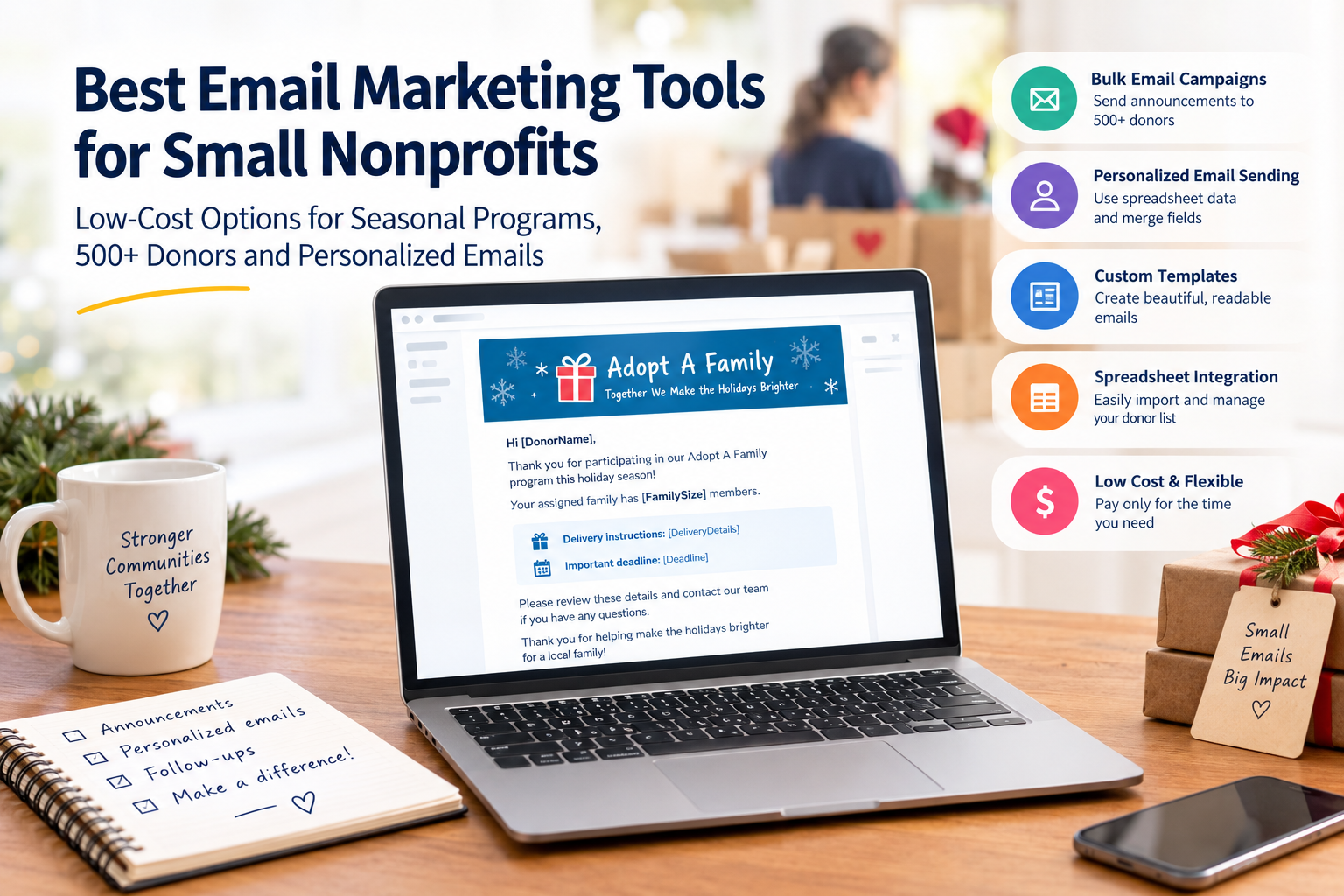
For example, a template could look like this:
Subject: Your Adopt A Family Assignment — [FamilyID]
Hello [DonorName],
Thank you for participating in our Adopt A Family program this holiday season!
Your assigned family has [FamilySize] members.
Delivery instructions: [DeliveryDetails]
Important deadline: [Deadline]
Please review these details and contact our team if you have any questions.
Thank you for helping make the holidays brighter for a local family!
The placeholders above are illustrative. Your actual spreadsheet would contain the relevant information for each donor.
With a properly configured mail merge system, the software can insert the corresponding values for each recipient automatically.
This reduces repetitive typing and, more importantly, helps prevent the mistakes that can happen when copying instructions between dozens of similar emails.
For volunteer organizations, saving time and avoiding assignment errors may be more valuable than having dozens of advanced marketing features.
4. Can AtomEmailPro Help With Personalized Bulk Email?
Another option worth evaluating is AtomEmailPro, particularly if your biggest challenge is sending large numbers of personalized emails rather than managing a traditional newsletter audience.
AtomEmailPro is a bulk email sender that supports SMTP sending and web browser-based email automation, including Gmail Web and Outlook Web. It also supports HTML email content, recipient data, and personalized variables.
Its personalization format uses square brackets, such as [DonorName] and [FamilySize], to represent values that can be inserted into an email template.
A spreadsheet or recipient file can provide the corresponding data for individual messages, allowing a common template to be adapted for different recipients.
This can be useful when a volunteer team needs to send personalized donor instructions, assignment details, event information, or other messages that vary from person to person.
Another difference is the sending workflow. Traditional email marketing platforms generally focus on campaigns sent through their own email infrastructure, while AtomEmailPro can send through supported SMTP servers or supported webmail accounts using browser automation.
That flexibility may be relevant to organizations that already have an appropriate sending setup and want more control over how personalized messages are prepared and sent.
However, there are important trade-offs.
AtomEmailPro is not a direct replacement for every feature offered by EmailOctopus or Mailchimp. It is not the best choice if your primary requirement is a drag-and-drop newsletter builder, built-in subscriber management, or native email open-rate reporting. It also requires more attention to sender-account configuration and sending practices.
For a small nonprofit that mainly needs attractive newsletters and straightforward reporting, a conventional email marketing platform will probably be easier to manage.
For a team that already has its email infrastructure in place and wants to streamline complex, data-driven email sending, AtomEmailPro is an alternative worth investigating.
The right choice depends on which part of your workflow is consuming the most time.
5. Don't Ignore Email Deliverability
Whether you use Gmail, Mailchimp, EmailOctopus, a mail merge tool, or another bulk email sender, deliverability deserves attention.
A message that never reaches a donor's inbox is not much help, even if the software is inexpensive.
Three terms are worth understanding:
SPF identifies which mail servers are authorized to send email for a domain.
DKIM adds a cryptographic signature that receiving mail systems can use to verify message integrity and the sending domain.
DMARC lets a domain owner specify how receiving systems should handle messages that fail relevant authentication checks and provides reporting mechanisms.
If you're sending from a personal Gmail address, you generally won't configure SPF and DKIM yourself for Google's own sending infrastructure. However, if you use a custom domain or an external SMTP provider, you may need to configure the appropriate authentication records.
Also, previous interaction with donors doesn't automatically guarantee inbox placement. Keep your contact list accurate, send messages that recipients expect, and honor unsubscribe requests where applicable.
For a seasonal program, these basic practices are often more important than purchasing an elaborate email marketing package.
6. How Can You Keep the Cost Low When You Only Send Emails for Two Months?
This is where seasonal organizations should think differently from businesses that send marketing emails every week.
Rather than paying for a large subscriber database all year, consider these steps:
Clean your donor list before the season begins. Remove invalid addresses and contacts who should no longer receive program messages.
Compare subscriber limits and monthly sending limits separately. A platform may store enough contacts but still restrict the number of emails you can send.
Calculate the total cost for the entire season. Include the number of months you need a paid plan, any additional users, and potential usage charges.
Use one well-designed announcement template. Reserve more specialized templates for family assignments and other messages that genuinely need different content.
Keep your donor data in a structured spreadsheet. This makes it easier to update assignments, prepare follow-ups, and move to another email tool if necessary.
Test the complete workflow before the busy period. Send test emails to verify personalization, formatting, links, and delivery instructions.
You should also decide how you'll track donor responses. If open-rate reporting is essential, make sure your chosen platform actually provides it. If the main concern is whether each donor has confirmed an assignment, a simple response-status column may be more useful than sophisticated campaign analytics.
7. My Recommendation: Choose the Tool That Fits Each Type of Email
For a volunteer-led Adopt A Family program, I wouldn't automatically choose one platform to handle every task.
Here's how I'd evaluate the options:
| Requirement | Best place to start |
|---|---|
| General holiday announcements | EmailOctopus or a similar email marketing platform |
| Attractive newsletter templates | A platform with a built-in email editor |
| Spreadsheet-based donor mail merge | Gmail-compatible mail merge software |
| Complex personalized emails at scale | A tool with flexible recipient variables |
| Native open-rate reporting | An email marketing platform with campaign analytics |
| More control over SMTP or browser-based sending | AtomEmailPro, if its workflow fits your needs |
For a donor list of around 500 people, EmailOctopus looks like a practical starting point for general announcements because its free plan has a relatively generous contact allowance.
If your most time-consuming task is creating and sending personalized family assignments, compare mail merge options before committing to a more expensive all-in-one platform. AtomEmailPro may also be worth evaluating if you need its SMTP or webmail automation capabilities, but its feature set is different from that of a conventional nonprofit email marketing service.
You may even find that the most economical arrangement is to use one tool for newsletters and another for personalized messages.
There is no reason to pay for a complicated platform if a simpler combination handles the actual work.
Final Thoughts
Small nonprofits don't need to run their email programs like large marketing departments.
For a seasonal donor initiative, the priorities are straightforward: communicate clearly, personalize the details correctly, avoid unnecessary subscription costs, and make follow-up manageable for volunteers.
Start with your actual sending volume and workflow. If you mainly send announcements, a low-cost newsletter platform may be enough. If every donor needs a different set of instructions, focus on spreadsheet integration and personalized bulk email sending.
The best email tool isn't necessarily the one with the most features. It's the one that helps your team spend less time managing email and more time helping the families your program serves.
Pricing and free-plan limits can change, so check each provider's current terms before making a decision.