



Building a Scalable Outlook Email Workflow: From Account Creation to Browser-Based Bulk Sending
For many businesses, email marketing is no longer about sending a few emails from one mailbox.
Modern email operations often require managing multiple email accounts, organizing sending workflows, and maintaining a stable communication system.
However, when the number of Outlook accounts grows, many users face the same challenges:
- How can I manage hundreds of Outlook accounts efficiently?
- How can I send emails through Outlook Web without manually logging into every account?
- How can I create a structured email workflow instead of managing everything manually?
The solution is not just an email sender.
A complete Outlook email workflow requires three important parts:
Account creation → Account management → Browser-based email sending
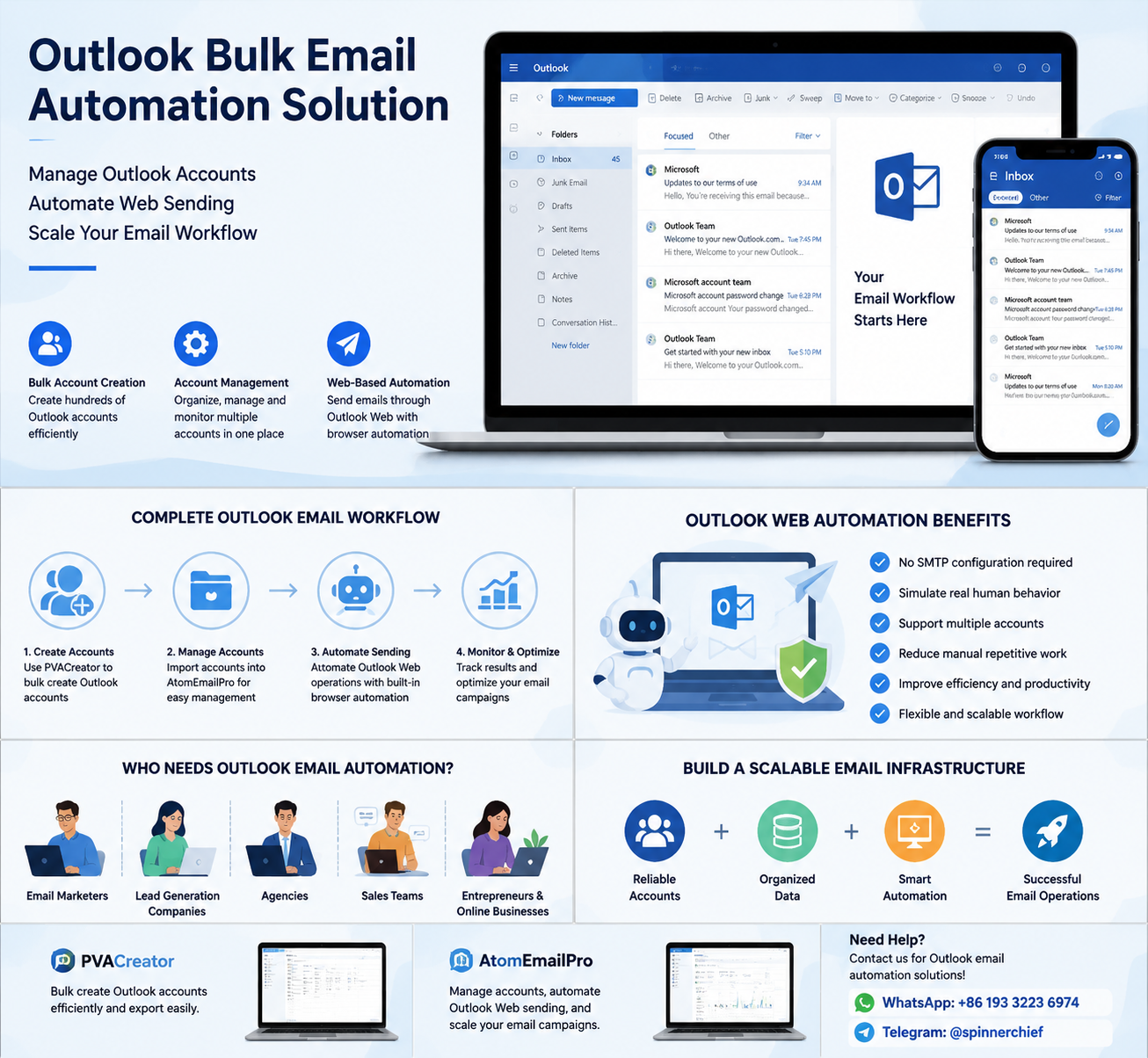
This article explains how businesses can build a more efficient Outlook email infrastructure.
Why Traditional Email Sending Methods Are Not Always Enough
Many users start with traditional email tools based on SMTP.
SMTP is useful for many scenarios, but when working with multiple Outlook accounts, users may encounter limitations:
- Complex SMTP configuration
- Different settings for different accounts
- Difficulty managing many accounts
- Lack of visibility into account status
- Time-consuming manual operations
For users managing multiple Outlook accounts, the challenge is not only sending emails.
The bigger challenge is managing the entire workflow.
A scalable system needs to answer:
- Where do the accounts come from?
- How are accounts organized?
- How can sending tasks be automated?
- How can repetitive browser operations be reduced?
Step 1: Building Your Outlook Account Infrastructure
Before sending emails, you need accounts.
For companies managing large-scale email operations, manually creating accounts one by one is inefficient.
A bulk account creation solution can help automate repetitive registration processes and organize account information more efficiently.
Tools like PVACreator are designed for users who need to handle account creation workflows, including Outlook account creation, account data management, and export functions.
Instead of treating every account as an individual mailbox, businesses can build a structured account database.
A professional workflow usually includes:
- Account information management
- Account status tracking
- Data export and organization
- Preparation for future email operations
The goal is not simply to create accounts.
The goal is to create an organized email infrastructure.
Step 2: Managing Multiple Outlook Accounts Efficiently
Having many Outlook accounts creates another challenge:
How do you manage them?
Logging into accounts manually can become a full-time job.
Imagine managing:
- 50 Outlook accounts
- 100 Outlook accounts
- Hundreds of accounts
Daily tasks may include:
- Switching between accounts
- Checking account availability
- Preparing sending tasks
- Managing different email campaigns
This is where an Outlook account management system becomes valuable.
A good account management workflow allows users to:
- Store account information
- Organize accounts by projects
- Assign different sending tasks
- Reduce manual account switching
Account management is the foundation of efficient email operations.
Step 3: Outlook Web-Based Browser Automation for Email Sending
One of the biggest challenges for Outlook users is automating web-based email sending.
Many users prefer Outlook Web because it provides a familiar interface and works like normal human email usage.
However, manually sending emails through Outlook Web is time-consuming.
Browser automation provides another approach.
With browser-based automation, repetitive actions can be automated:
- Opening Outlook Web
- Logging into accounts
- Creating emails
- Filling recipient information
- Sending messages
- Managing multiple sending tasks
AtomEmailPro focuses on helping users build automated email workflows through browser-based operations and account management.
Instead of using only a traditional mail server connection, users can manage email activities through a browser automation workflow.
This approach is especially useful for users who need to handle multiple email accounts and want to reduce repetitive manual work.
A Complete Outlook Email Automation Workflow
A professional Outlook email workflow can look like this:
Create Outlook Accounts ↓ Organize Account Information ↓ Import Accounts into Management System ↓ Configure Sending Tasks ↓ Automate Outlook Web Operations ↓ Monitor Email Workflow
Each step solves a different problem.
Account creation solves the supply problem.
Account management solves the organization problem.
Browser automation solves the operation problem.
Why Browser Automation Is Becoming More Popular
The future of email operations is not only about sending more emails.
It is about creating smarter workflows.
Browser automation provides several advantages:
1. Reduce Manual Operations
Users no longer need to repeat the same browser actions hundreds of times.
2. Manage Multiple Accounts More Easily
A centralized workflow makes large-scale account management more practical.
3. Create Flexible Email Processes
Different accounts can be assigned to different projects, teams, or campaigns.
4. Improve Workflow Efficiency
The biggest benefit is saving time on repetitive tasks.
Who Needs an Outlook Email Automation Solution?
An Outlook automation workflow can be useful for:
Email Marketing Teams
Teams managing multiple campaigns need efficient account organization.
Lead Generation Companies
Businesses working with large contact databases need scalable email workflows.
Agencies
Agencies managing multiple clients often need separate email environments.
Sales Teams
Sales departments may need multiple accounts for different business activities.
Entrepreneurs and Online Businesses
Small teams can automate repetitive email management tasks without hiring additional staff.
Building a Better Email System Instead of Just Sending Emails
Many people think email automation means simply pressing the “send” button faster.
In reality, successful email operations require a complete system.
A strong Outlook workflow combines:
- Reliable account management
- Organized account data
- Efficient browser automation
- Proper email processes
The future of email marketing belongs to businesses that build systems, not just use tools.
Need Help With Outlook Email Automation Solutions?
If you are looking for:
- Outlook bulk account creator solutions
- Outlook account management tools
- Outlook web-based browser automation
- Bulk email sending workflow solutions
Feel free to contact us:
WhatsApp: +86 193 3223 6974
Telegram: @spinnerchief